eGo documentation
 In the eGo Documentation view, you can view the user manual and third-party license information.
Online help
Opening the eGo Documentation view displays the user manual. Pressing F1 in the application opens context-sensitive help, where available.
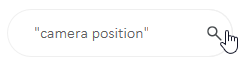
Use the search box at the top for searching the help. You can type several words inside quotation marks to search for a specific phrase. Press Enter or use the magnifying glass button to perform the search.
Online help toolbar buttons
 – Send feedback about the documentation, using the default email application of the device.
 – Print the current help topic. Any collapsed content will not be printed.
 – Remove search highlighting from the current topic.
 – Expand or collapse content in the current topic.
 – Move to previous or next topic in the topic hierarchy.
License information
 In the eGo Documentation view, selecting the License Information button displays the License Information view where you can view license information for third-party software used in CADMATIC eGo.