Point clouds
Point clouds represent existing structures that have been scanned with a 3D scanner. Use point clouds, for example, to see how old and new structures fit together when redesigning an existing building or ship.
When the eShare administrator has imported point clouds to the eShare server, after synchronization you can see them also in eGo. Point clouds are in the model tree in a separate Point Clouds branch. The subnodes of the branch are in alphabetical order.
eGo shows the point cloud scanner locations with the point cloud scanner's name also in the 3D model. You can access the bubble view by tapping the point cloud scanner symbol.
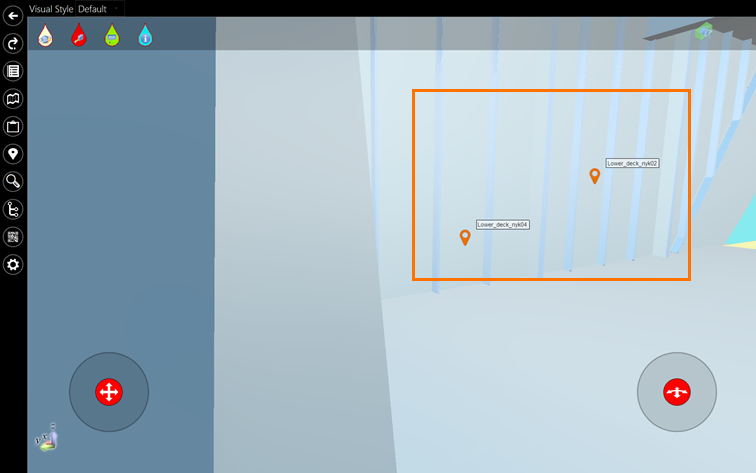
In eGo, you can view point clouds both from the eShare server and offline, synchronize point clouds from the eShare server, and select point clouds for offline viewing. If the model has Smart Points or Markups, also they are shown when you are viewing the point cloud.
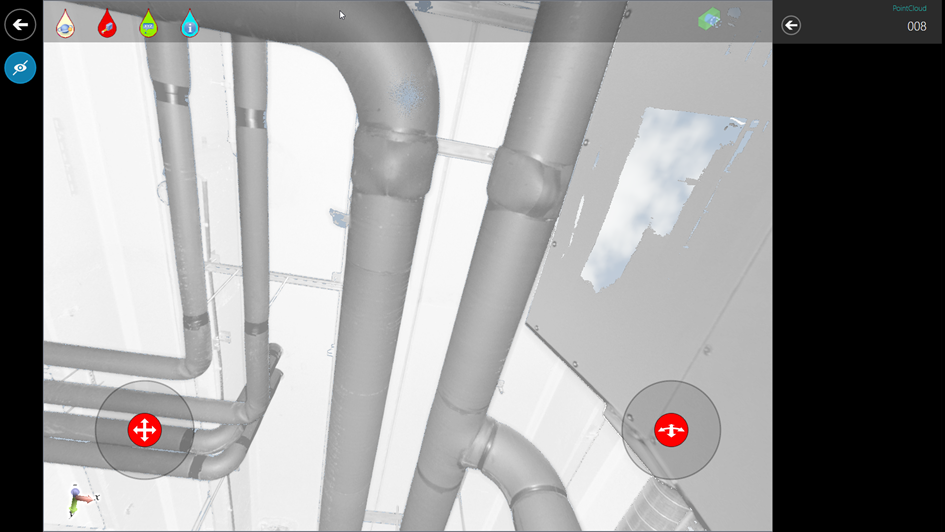
Viewing point clouds
Open the point clouds from the model view. You can navigate the point cloud in the same way as the 3D model. See Gestures and navigation.
Note: Point Clouds are always defined in project coordinates.
 Show/hide procedure
Do the following:
-
In the 3D view, select
 to open the model tree.
 -
Expand the Point Clouds branch to get a list of the model's point clouds.
-
Select the point cloud that you want to view. eGo loads the point cloud automatically. If eGo could not connect to the eShare server, eGo displays an error message that indicates that it could not open the point cloud.
-
To view only the point cloud but not the other objects in the model, select
 .
. -
Select
 to make all other objects except the examined object(s) transparent.
 -
Select
 to set the selected object(s) to X-ray mode.
 -
Select
 to add new markup to the point cloud. After entering a name for the markups, it opens in edit mode.
 -
To close the point cloud and return to the 3D view, select
 .
.
Selecting point clouds for offline viewing
You can select point clouds for offline viewing. The point clouds that you have selected to be synchronized for offline viewing are also available when eGo cannot connect to the eShare server.
Show/hide procedure
Do the following:
-
In the 3D view, select
to open the model tree. -
Select
 . eGo displays a list of the point clouds in the project.
 -
Select the point clouds that you want to synchronize for offline viewing.
-
Select
until you are in the Models view, and synchronize the model from eShare.
Synchronizing point clouds
To make recently added point clouds available in eGo, synchronize eGo with eShare.
Show/hide procedure
Do the following:
-
Open the Models view.
-
Locate the model that you want to synchronize, and select
 to synchronize the project.
 - eGo starts to synchronize the project. If eGo cannot connect to eShare, eGo displays an error message.
Viewing point clouds in offline mode
When eGo is not connected to eShare, you can view the point clouds that you have selected for offline viewing.
Show/hide procedure
If you have synchronized point clouds to eGo, you can also view them when eGo is not connected to the eShare server. In the list of point clouds in the project, the ones that are not available for offline viewing are displayed in red.
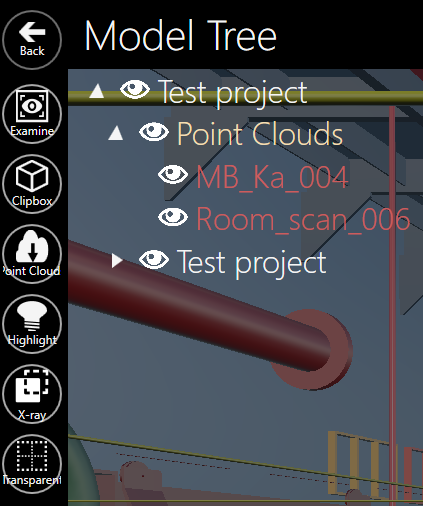
If eGo is not connected to eShare but you select a point cloud that has not been synchronized for offline viewing, eGo displays an error message.
Do the following:
-
In the 3D view, select
to open the model tree. -
Expand the Point Clouds branch to view the point clouds of the model.
-
Select the point cloud that you want to view.
-
eGo loads the point cloud.
-
To close the point cloud and return to the 3D view, select
.