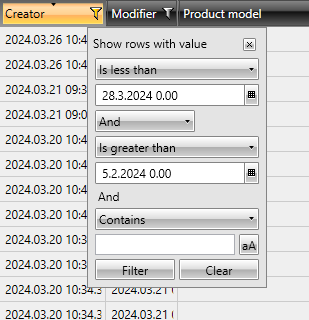
You can filter project information with the desired criteria. The filtering icon is next to the column header. Clicking the icon opens the filter for that column.
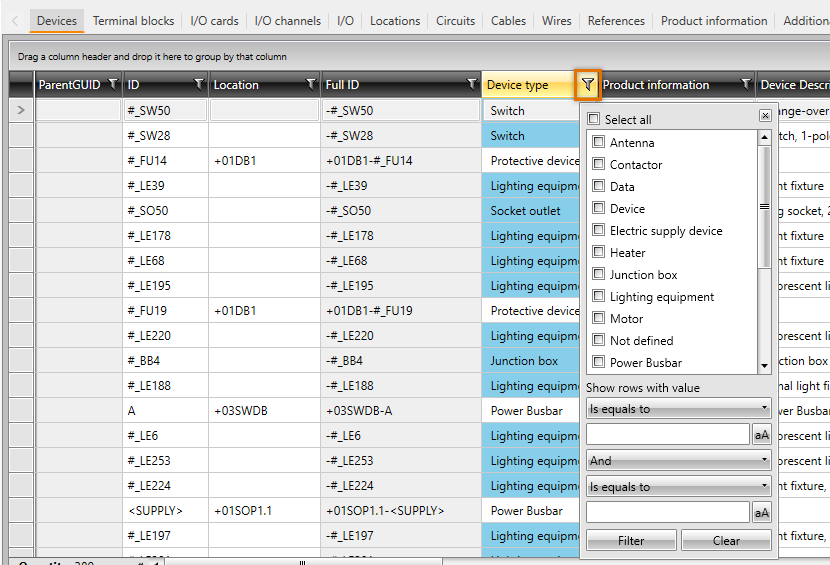
You can filter data either by selecting the values to be filtered from the list, or by defining filter conditions. You can define two conditions when using the logical operators AND/OR. For example, if you want to see only the IDs beginning with the letter A, select Starts with from the first drop-down menu, enter A in the field below, and click Filter.
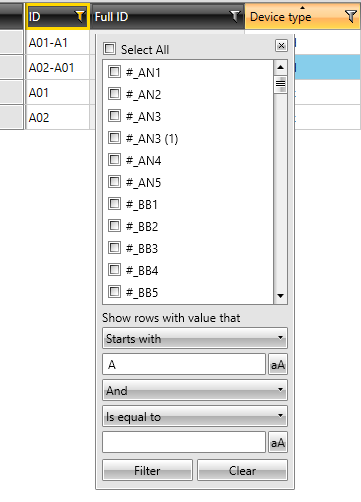
Only the rows matching the filtering criteria are shown in the grid. The column and icon turn yellow when the filter is enabled.
Note: You can remove all filters on the active tab by selecting Home tab > Remove filters.
 An example of filtering with a time range
In the Creator and Modifier columns, you can filter rows by the creation/modifying time and the creator/modifier. Select the desired time range and creator or modifier, and click Filter.