
|
Layout tab > Positioning group > Device |
With this function, you can define positions for devices. The function adds position information that can be shown near the device as a text or as a position mark.
Do the following:
-
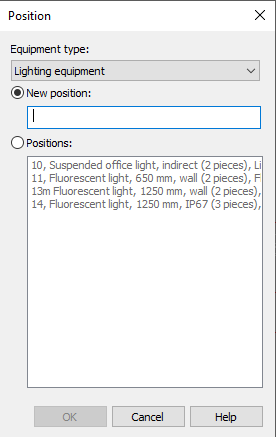
Select type of the device from Equipment type drop-down menu.
-
Enter the new position number, or select Positions and then an existing position from the list.
-
Click OK.
-
Indicate the symbols for which you want to add position.
-
Accept selection with Enter. The program positions the selected devices.