
|
DB tool > Functions tab > Merge objects |
With this function, you can merge documents, locations, devices and other objects inside a project. This function is needed, for example, when objects have been imported from another project, clipboard project or temporary project with different IDs.
You can merge objects by dragging them from the project tree and dropping them to the Merge objects dialog, or by selecting rows from the grid. When merging locations and circuits, you can also select to merge devices with the same full ID.
 Drag and drop from the project tree
Do the following:
-
Before starting, close all drawings with source object occurrences.
-
Select Functions > Merge objects. The Merge objects dialog opens.
-
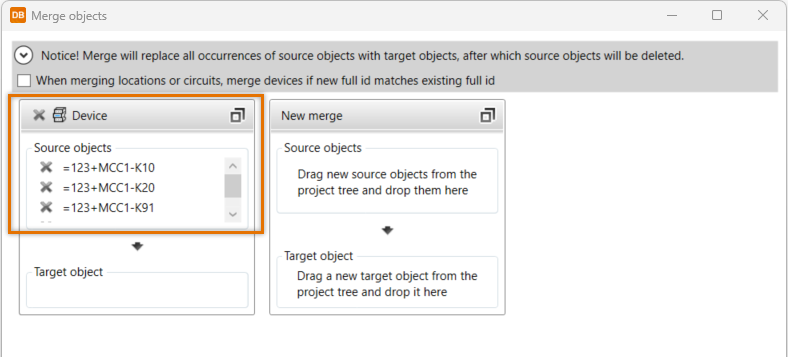
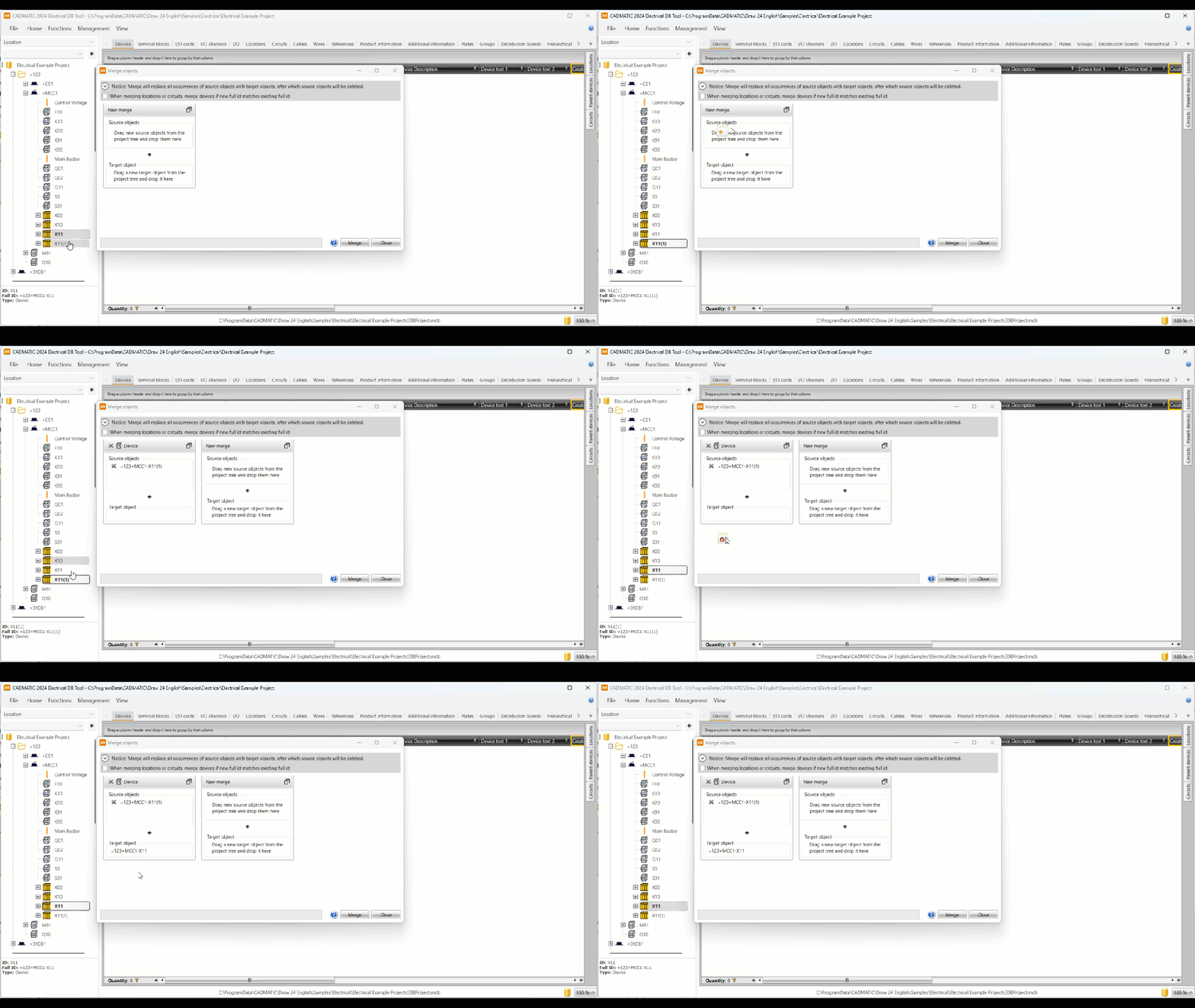
Drag the objects you want to merge from the project tree, and drop them to the Source objects section.
-
In the Target object section, drag the object you want to merge with the selected source objects.
-
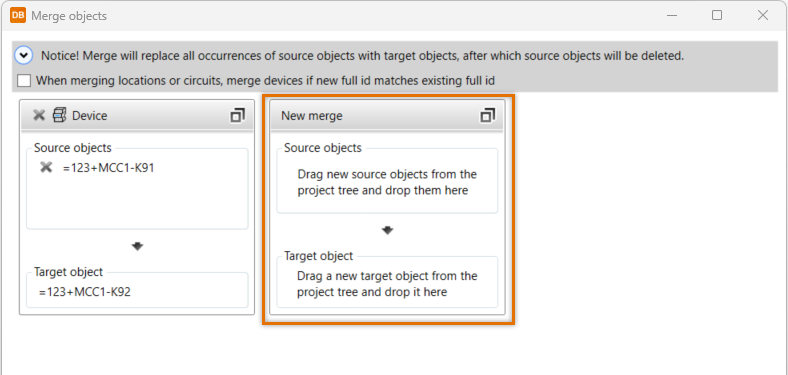
If necessary, drag and drop other objects to the New merge section.
-
Click Merge.
 Select rows from the grid
Do the following:
-
Before starting, close all drawings with source object occurrences.
-
In the desired grid, select the source rows you want to merge.
-
In the grid, select the target row you want to merge with the selected source rows.
-
Right-click, and select Merge.
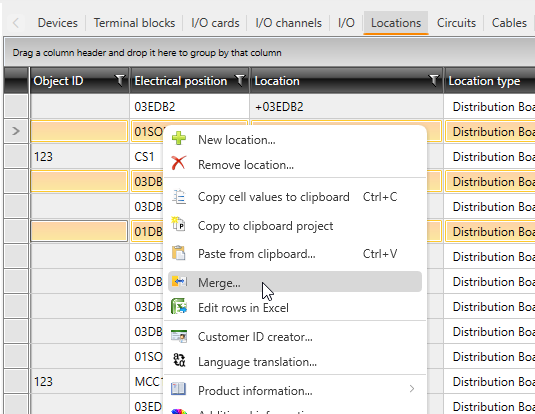
The Merge objects dialog opens. The objects to be merged with the target object are shown in the first section. If necessary, you can drag more objects from the project tree and drop them to the New merge section.
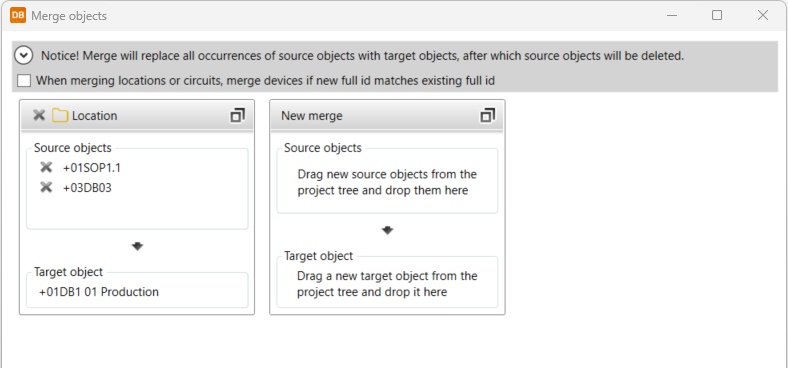
-
Click Merge.
Example of merging documents
You want to merge three documents, each with one sheet. The main document i.e. the target object to which all the other documents are merged is selected last.
Do the following:
-
Select the Documents tab.
-
First select sheet number two, then sheet number three. The document type of the selected documents needs to be Schema.
-
Select the main document to which you want to merge the two documents you just selected.
-
Right-click, and select Merge. The Merge objects dialog opens. The first section in the Source objects section shows the objects about to be merged with the objects in the Target object section.
-
Click Merge.