Open Symbols toolbar
Schematics tab > Devices group >  Symbols menu > Symbols toolbar
Via this toolbar, you can save and access your own symbols. In addition, you can insert the default symbols.

Once you select a symbol group (Motors, for example), you can create a new symbol using the Save symbol dialog:
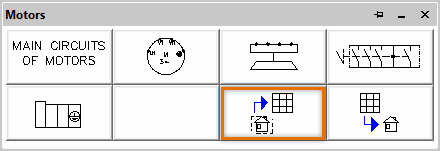
The symbol creation function will suggest the correct symbol type and menu.
Creating contactor and contact pack symbols differs from the other symbols. For more information, see Create contactor symbols and Create contact pack symbols.
Create contactor symbols
Do the following:
-
In the Symbols toolbar, select Contactors. The Contactors menu opens.
-
Click the Create user contactor button. The Contactor dialog opens.
-
Create contact pack symbols