
|
DB tool > Management tab > Related information group > Additional information |
Additional information includes, for example, details added for the project's devices. Types of additional information include:
-
Description text – A descriptive text for any device, cable, location, circuit, etc. in the project.
-
Position text – For example, position values of a switch.
-
Process type additional information – Additional information of the process (process, section, device).
-
Additional markings
-
Electrical information – Voltage, current, power, etc.
-
Lighting information
-
Product information – Product information attached to device.
-
Purchase information
-
Installation information – Installation method, fastening, etc.
-
Revision information
-
ETIM information – With ETIM information, you can define technical details or requirements that must be met when selecting products. In Electrical, ETIM information is additional information for devices, cables, product models, etc
-
Other
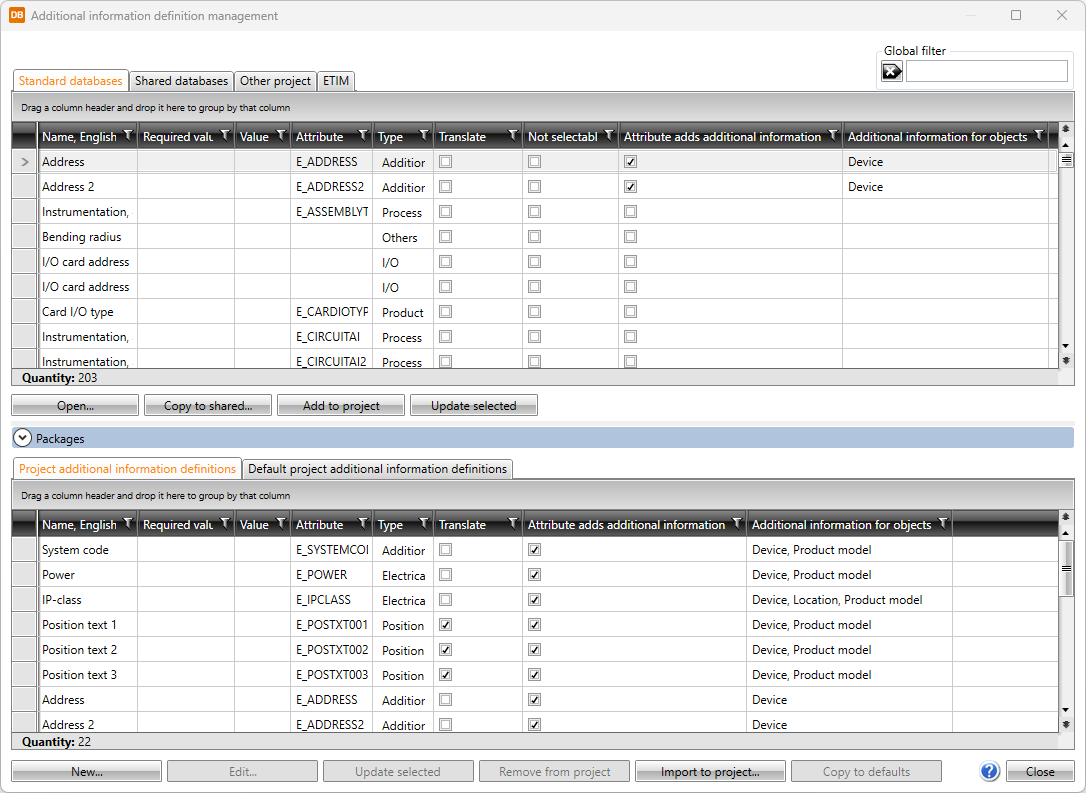
Additional information is stored in the project.
The global filter makes it possible to search for information using freely defined criteria, without taking wildcard characters * or ? into account. Furthermore, you can group and filter the information.
The items in different databases and functions related to them are divided on tabs:
- The Standard databases tab shows the read-only product database (EDBCommon.sqlite) provided with the application. It will be overwritten whenever the application is updated. You can copy cable types from this database to your own shared databases.
-
Open – Open the selected item for viewing.
-
Copy to shared – Create a copy of the selected item to Shared databases.
-
Add to project – Add the selected items to the project. Alternatively, add an item by double-clicking it.
-
Update selected – Update modifications made in the database to the items in the project.
-
The Shared databases tab shows databases that can be shared and edited. If another user edits the data simultaneously, you can update the grid to show the changes by clicking the
 button. In the Product database drop-down menu, User
products from 1 to 9 are empty product databases for your own product information.
button. In the Product database drop-down menu, User
products from 1 to 9 are empty product databases for your own product information. Show/hide functions
-
New – Add a new item.
-
Edit – Open the selected item for editing.
-
Copy to shared – Create a copy of the selected item to Shared databases.
-
Remove – Remove the selected item.
-
Add to project – Add the selected item(s) to the project. Alternatively, add an item by double-clicking it.
-
Update selected – Update modifications made in the database to the items in the project.
-
Import – Import items from other databases (Excel, Textfile, Access, or SQLite) to Shared databases.
-
-
The Other project tab enables importing information from another project database (EDBProject.sqlite or EDBProject.mdb). You can also move the selected rows to the shared databases by right-clicking and selecting Add to shared database.
Show/hide functions
-
Copy to shared – Create a copy of the selected item. The copy will be saved to Shared databases.
-
Add to project – Add the selected item(s) to the project. Alternatively, add an item by double-clicking it.
- Update selected – Update modifications made in the database to the items in the project.
-
Select other project – Select another project database (EDBProject.sqlite or EDBProject.mdb) to use as data source.
-
-
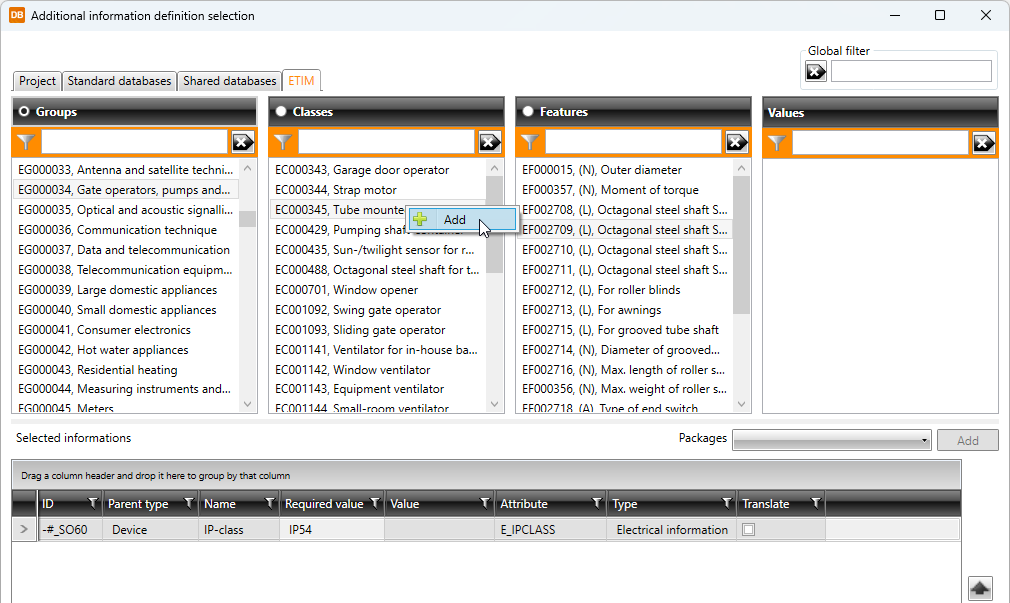
The ETIM tab shows and allows adding ETIM (European Technical Information Model) information.
Show/hide details
ETIM data is added to project on the ETIM tab by selecting product group, class and properties and double-clicking the desired value or selecting Add from the context menu.
Show/hide functions
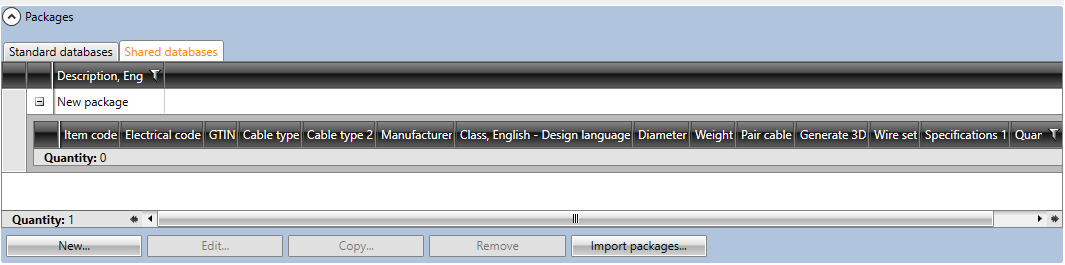
The Packages section is located below the database grids. With packages, you can bundle multiple items together and then easily add them to the project at once.
You can add a package with all the items to the project by double-clicking it.
Show/hide details
-
New – Add a new package. You can then add items into the packages by dragging them from the database grids.
-
Edit – Edit an existing package. You can remove rows from packages by right-clicking the row and selecting Remove package row.
-
Copy – Create a copy of the selected package. All the items in the package will also be copied.
-
Remove – Delete the selected package.
-
Import packages – Import data from other projects.
The bottom part of the Additional information definition management dialog shows project information (EDBProject.sqlite or EDBProject.mdb) and default project information (EDBUser.sqlite or EDBUser.mdb).
-
Project additional information definitions tab:
-
New – Add a new item to the project database. You can also add an item by selecting an existing item, clicking Edit and then in the dialog clicking the
 button.
 -
Edit – Edit an existing item. The changes will only be saved to the item in the project.
-
Remove from project – Remove an item not used in the project.
-
Import to project – Import items from another project.
-
Add to project – Add the selected items to the project.
-
-
Default project additional information definitions tab:
-
New – Add a new item to the default database. You can also add an item by selecting an existing item, clicking Edit and then in the dialog clicking the
button. -
Edit – Edit an existing item. The changes will only be saved to the item in the project.
-
Remove from project – Remove an item not used in the project.
-
Import to project – Items can be imported from another project.
-
Add to project – Add the selected items to the project.
-