Manage IFC property selection definitions
DB tool > Management tab > IFC group >  IFC properties menu > IFC property selection definitions IFC properties menu > IFC property selection definitions |
The property selection definition is a management object that includes the export definitions for property sets and properties: the information about the related property sets that need to be exported to IFC, and the information about the properties to be exported for each type definition when IFC properties are to be exported by device types.
This management object itself is not exported to IFC.

The global filter makes it possible to search for information using freely defined criteria, without taking wildcard characters * or ? into account. Furthermore, you can group and filter the information.
The items in different databases and functions related to them are divided on tabs:
- Standard databases holds the default property selection definitions provided with the application which will be overwritten whenever the application is updated. You can copy property selection definitions from this tab to your own shared databases.
-
Open – Open the selected property selection definition for viewing or editing. By clicking the
 button, you can copy the definition to Shared databases.
-
Copy to shared – Create a copy of the selected property selection definition to Shared databases. Edit the properties as necessary.
Select/Edit opens the IFC property set selection dialog where you can select the property sets to be included in the property selection definition.
-
Add to project – Add the selected property selection definitions to the project. Alternatively, add a property selection definition by double-clicking it. Project's property selection definitions are shown on the Project IFC properties tab at the bottom part of the IFC property selection management dialog.
-
Update selected – Update modifications made in the database to the respective property selection definition in the project.
 Show/hide functions
-
Shared databases holds user's own property selection definitions that can be shared and edited. If another user edits the data simultaneously, you can update the grid to show the changes by clicking the
 button. Show/hide functions
-
New – Add a new property selection definition.
-
Edit – Edit the properties of an existing property selection definition.
-
Copy to shared – Create a copy of the selected property selection definition to Shared databases. Edit the properties as necessary.
-
Remove – Remove the selected property selection definition.
-
Add to project – Add the selected property selection definitions to the project. Alternatively, add a property selection definition by double-clicking it. Project's property selection definitions are shown on the Project IFC property selections tab at the bottom part of the IFC property selection management dialog.
-
Update selected – Update modifications made in the database to the respective property selection definitions in the project.
-
Import – Import property selection definitions from other databases. See Import project data from database.
-
-
The Other project tab enables importing property selection definitions from another project database (EDBProject.sqlite or EDBProject.mdb).
Show/hide functions
-
Copy to shared – Create a copy of the selected property selection definition to Shared databases. Edit the properties as necessary.
-
Add to project – Add the selected property selection definitions to the project. Alternatively, add a property selection definition by double-clicking it.
- Update selected – Update modifications made in the database to the property selection definitions in the project.
-
Select other project – Select another project database (EDBProject.sqlite or EDBProject.mdb) to use as data source.
-
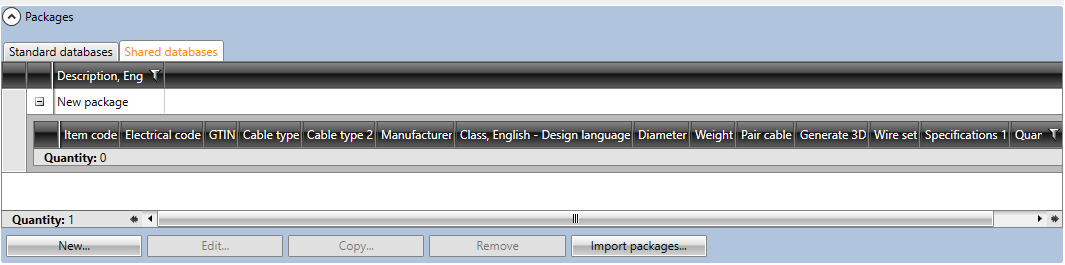
The Packages section is located below the database grids. With packages, you can bundle multiple items together and then easily add them to the project at once.
You can add a package with all the items to the project by double-clicking it.
Show/hide details
-
New – Add a new package. You can then add items into the packages by dragging them from the database grids.
-
Edit – Edit an existing package. You can remove rows from packages by right-clicking the row and selecting Remove package row.
-
Copy – Create a copy of the selected package. All the items in the package will also be copied.
-
Remove – Delete the selected package.
-
Import packages – Import data from other projects.
The bottom part of the IFC property selection management dialog shows property selection definitions currently in the project and the default property selection definitions common to all projects:
-
Project IFC property selections tab:
-
New – Add a new property selection definition to the project database. You can also add a property selection definition by selecting an existing definition, clicking Edit and then in the dialog clicking the
(Copy) button. -
Edit – Edit the properties of an existing property selection definition. The changes will only be saved to the property selection definition in the project.
-
Remove from project – Remove a property selection definition not used in the project.
-
Copy to defaults – Add the selected property selection definitions to the default database (EDBUser.sqlite or EDBUser.mdb). When a new project is created, property selection definitions will automatically be added to that project.
-
-
Default project IFC property selections tab:
-
New – Add a new property selection definition to the project database. You can also add a property selection definition by selecting an existing definition, clicking Edit and then in the dialog clicking the
(Copy) button. -
Edit – Edit the properties of an existing property selection definition. The changes will only be saved to the property selection definition in the project.
-
Remove from project – Remove a property selection definition not used in the project.
-
Add to project – Add the selected property selection definitions to the project.
-