Insert symbols

|
Cabinet Layout tab > Devices group > Symbols |
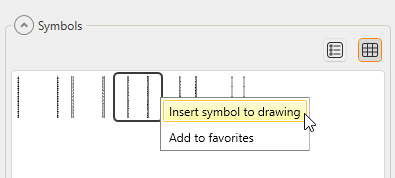
In the Symbols window, you can insert a symbol into the drawing via any of the tabs by double-clicking the symbol and indicating the insertion point. Alternatively, you can right-click the symbol and select Insert symbol to drawing:
When you select to insert a marking symbol, you need to indicate the main symbol; it is not possible to insert a marking symbol on its own.
Tip: When inserting a symbol on a wire line, the function cuts the lines under the symbol. You can therefore insert a symbol on top of existing wiring.
Tip: When you insert a symbol on top of a horizontally drawn wire line, the function also turns the symbols and included attributes horizontally. Attributes are also inserted more sensibly.