In DB tool, project information is shown in grids on separate tabs. You can select which tabs are shown by right-clicking and selecting Show tabs. The References tab, for example, is hidden by default but you can select to show it in the Show tabs dialog:
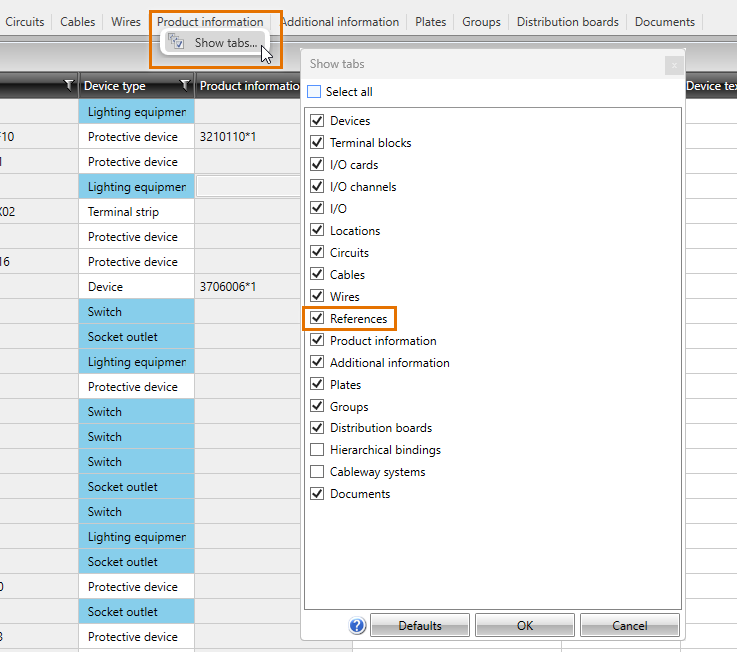
To see the functions available on each tab, right-click on the desired cell or the selected row. Some of the functions can also be used on the drawing side (see Manage project information).
If necessary, you can export information from the selected grid to an Excel, TXT, CSV or XML file by selecting File > Export.