Electrical tab > Settings group >  Setting files menu > Convert drawing elements according to current setting file Setting files menu > Convert drawing elements according to current setting file |
| Electrical tab > Settings group > Setting files menu > Convert selected elements according to selected setting |
With these functions, you can convert the existing elements in the drawing according to the selected setting file.
-
This conversion can be performed to drawings created with CADMATIC Electrical only.
-
The conversion can only be performed to elements with system data attached to the element. E.g. SH41_ refers to plug sockets system. Elements with system data contain common attribute $SCJ$, whose value is the system data ($SCJ$ = SH41_).
-
The LED line type is not updated.
The conversion can be performed in two ways.
 Convert drawing
elements according to current setting file
Convert drawing
elements according to current setting file
-
Select Convert drawing elements according to current setting file.
-
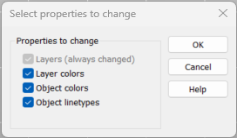
Select what to convert.
-
Click OK. All elements with the system data receive properties according to the new setting.
Convert selected
elements according to selected setting
-
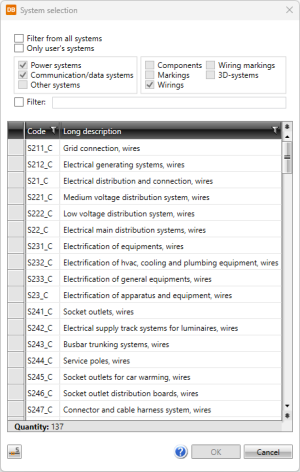
Select Convert selected elements according to selected settings. The System selection dialog opens.
-
Select the system where the selected elements will be changed.
-
Select what to convert.
-
Click OK. The selected elements with system data receive properties according to the new setting.