Define symbols as your favorites

|
Layout tab > Devices group > Symbols |
In the Symbols window, the  (Favorite symbols) tab shows you the symbols you have defined as your favorites either in the Symbols window or the Symbol selection dialog (see Symbol selection).
You can select your favorite symbols on the
-
 (Electrical symbols) tab
 -
 (User's symbols) tab
 -
 (Symbols in current project) tab
 -
 (Symbols in current drawing) tab
 -
 (Symbols in another drawing) tab
In the Symbols window, you can define symbols as your favorites
-
In each tab's Symbols section by right-clicking the desired symbol and selecting Add to favorites:
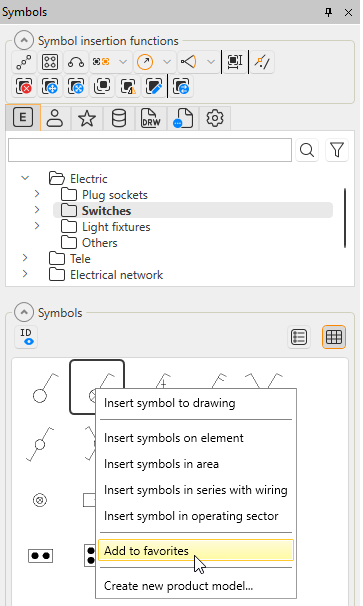
-
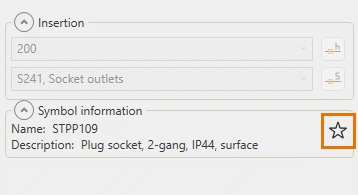
In each tab's Symbol information section by clicking the
(Add to favorite symbols) button: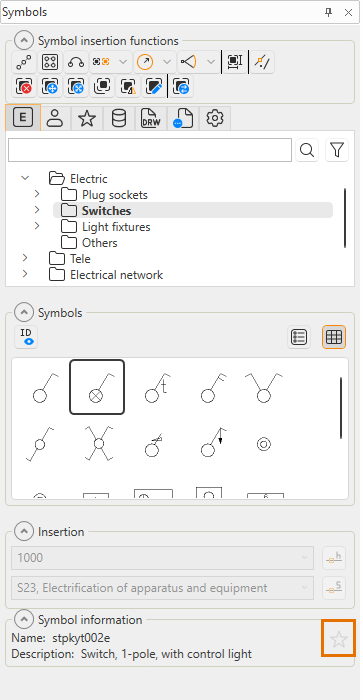
If necessary, you can remove symbols from favorites
-
On the
(Favorite symbols) tab by right-clicking the symbol and selecting Remove from favorites -
In each tab's Symbols section by right-clicking the symbol and selecting Remove from favorites
-
In each tab's Symbol information section by clicking the
(Remove from favorite symbols) button: