Save your own feeder package symbols

|
Single-line tab > Devices group > Symbols |
On the  (User's symbols) tab in the Symbols window, you can create your own feeder packages and insert them in load diagrams.
Do the following:
-
In the Symbols window, select the
(User's symbols) tab. -
Click the arrow next to the
 (Save user symbol) button and select Save user feeder package.
 -
Select objects to include in the feeder package to be saved and press Enter.
-
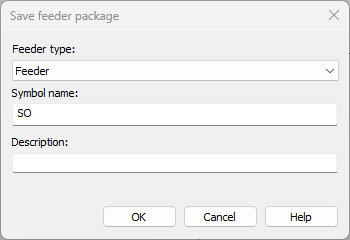
Indicate symbol's insertion point. The Save feeder package dialog opens.
-
Select the feeder type.
-
Enter the name for the symbol to be saved. The function adds SO by default but you can name the symbols any way you want.
-
In the Description field, define the tooltip shown when hovering over the symbol.
-
Click OK.