Color rules for elongation reports
Shell plate images in shell plate elongation reports have color maps on top of them showing the amount of elongation in the different parts of the shell plate. The colors represent the amount of elongation (elongation values). The colors used in the color maps are defined with the Color Map – Color Rules setting in System Management > Production > Shell Plates Elongation List.
Extremity rules convert elongation to a color map. To determine the color range, the color rules access to the minimum and maximum elongation values in the extremity rules. See Extremity rules for elongation reports.
Note: The rules in the standard norms are just examples which illustrate how the rules work. The extremity rules should be customized for each specific case, and they should be based on the feedback of the skilled professionals working on the production site.
See Rule configuration files for detailed information on the rule system, and Defining rules in System Management for general information on how to define rules in the System Management application.
Defining the color rules
Define the values for the color rules so that they support the production team as well as possible.
Do the following:
-
Go to System Management > Production > Shell Plates Elongation List > Color Map > Color Map – Color Rules.
The Color Map - Color Rules dialog opens, showing the contents (conditions and answers) of the first rule each on it own line. You can select another rule from the Description drop-down menu at the top.
 Show/hide image
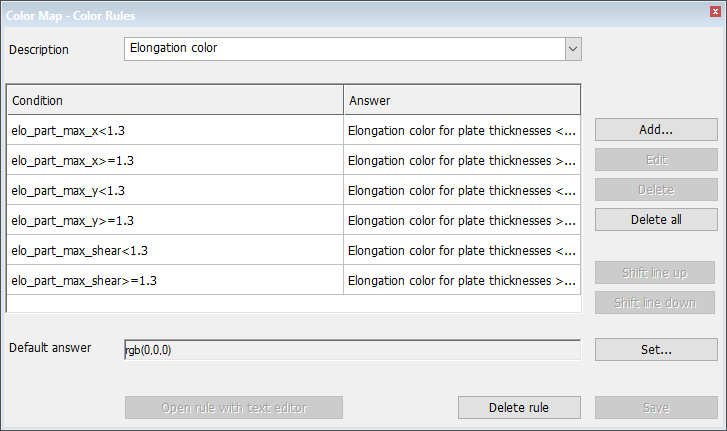
Available options:
-
Add – Opens the Add Color Rules dialog for creating a new condition-answer pair (line).
-
Edit – Opens the Add Color Rules dialog for editing the selected condition-answer pair (line).
-
Delete – Removes the selected lines from the rule.
-
Delete all – Removes all lines from the rule.
-
Shift line up/ Shift line down – Shifts the selected line up or down in the list.
-
Set – Opens the Set default answer dialog box and allows you to add a default answer to the rule.
-
-
Create a new condition-answer pair: Click Add.
or
Modify an existing condition-answer pair: Select the line, and click Edit. You can select the rule you want to modify from the Description drop-down menu.
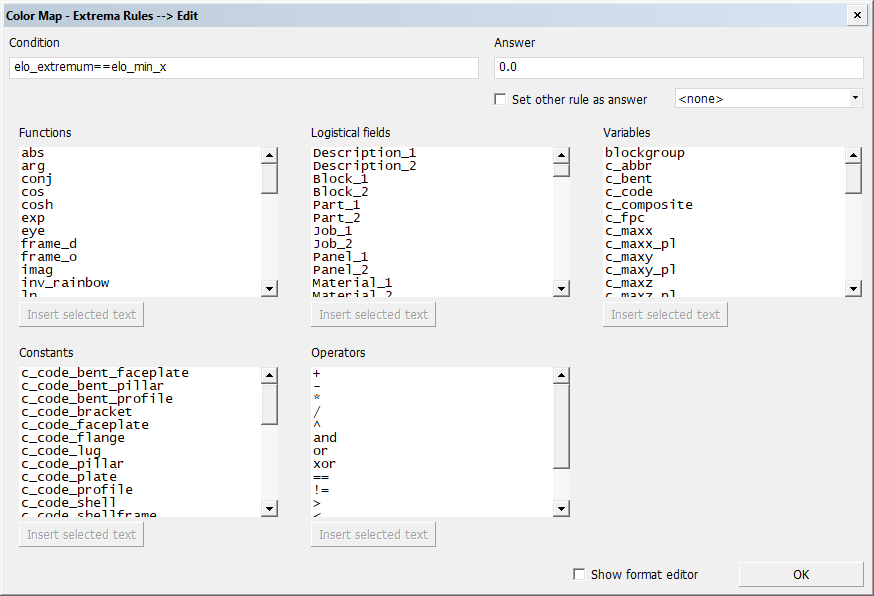
The Add/Edit Color Rules dialog opens.
-
Define the condition-answer pair using logistical fields in combination with variables, constants, functions and operators.
To define the condition or answer, click on the Condition or Answer field, in the point where you want to add an item, and select the item in one of the panes in the dialog.
Click Insert selected text below the pane to add the item to the Condition or Answer field. You can also enter free text.
See Variables and constants for the color rules below for color rules specific values.
See the following for more information: Rule configuration files, Functions and operators and Variables and constants (rules).
-
Click OK to save the changes to the rule.
You can find an examples of color rules in the elocol0001.cfg, elocol0002.cfg and elocol0003.cfg files in the cvar folder in the default norms.
When setting up color and extrema rules you can also define how the information is presented in the cells in the elongation report. This is done with the field format editor. Once a field format has been defined, it can be used to format the information in the report cells.
Select Show format editor in the Add/Edit Extrema Rules dialog to show the Field Format Editor dialog where you can define field format codes.
Below is an example where a previously generated field format code is applied to a cell in the elongation report.
Show/hide example
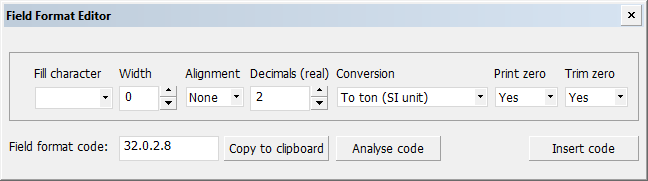
Field format editor
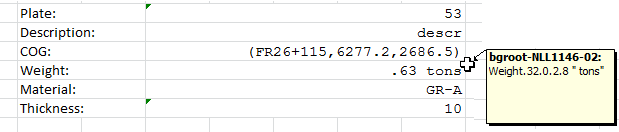
Data in a report cell in the elongation report, with a field format applied
See Defining field format codes for information on how to use the field format editor.
Variables and constants for the color rules
The elo_type variable is used in the condition.
Example: elo_type==elo_type_x
Possible values (constants) include following:
-
elo_type_x for horizontal elongation
-
elo_type_y for vertical elongation
-
elo_type_shear for deformation in angles (shear strain)
The rainbow and inv_rainbow functions can be used in the answer part of the rules to define the colors. The inv_rainbow is used by default.
Example: inv_rainbow(elo_min_x,elo_max_x,elo,5)
This answer returns an inverse rainbow colors, where the minimum elongation is shown in blue and the maximum elongation in red.
-
elo_min_x and elo_min_x keywords represent the minimum and maximum horizontal elongation values, respectively (these are set in the extrema rules). Keywords elo_min_y and elo_min_y are used for the vertical elongation, and elo_min_shear and elo_min_shear for the shear strain (deformation) values.
-
elo – Represents the elongation for which the color is returned.
-
The 4th parameter (5 in the example above) is the number of colors used in the rainbow. The bigger the value, the more colors are used, resulting in smoother transition from one color to another. A value that equals the number of used elongation ranges (the number of columns in the table) could be used, for example. In this case each range will be marked with a different color. Note that it may not be useful to use too big a value because very smooth color transitions can make it harder for the production personnel to tell which elongation should be used in a particular area.

Including color legends in the elongation report
The colors resulting from the extremity rules can be included in the elongation report as a color legend which maps the elongation values to the colors. The color legend table must be defined in the elongation report template.

The cells for the texts and colors are defined separately by specifying the first and last cell in the legends.
-
legend_x_* values apply to values of horizontal elongation.
-
legend_y_* values apply to values of vertical elongation.
-
legend_xy_* values apply to both horizontal and vertical elongation values. The range is determined by the minimum and maximum values of horizontal and vertical elongation.

The cells between legend_*_txt_first and legend_*_txt_last are filled with elongation ranges. The minimum and maximum elongation values as returned by the extremity eloext rules are divided linearly into sub-ranges over the available cells.
The cells between legend_*_col_first and legend_*_col_last are filled with the colors resulting from the color elocol rules that were passed, and the average value of each range. The image below shows how the results look like in the elongation report:
The distribution of labels displayed in the color maps can be defined using variables elo_grid_x and elo_grid_y. The values define the spacing between the labels in mm. Setting one of them to a value smaller than or equal to zero will result in no labels at all. The label text can be formatted by the elo_label_fmt variable (according to the regular formatting system).
The colors of the parts in the shell plate 3D image can be set using elo_shpl_col for the shell plate, and elo_tmpl_col for the templates. Both variables hold 4 values. The first three are RGB values (0..255) and the 4th is a transparency flag (0: opaque, 1: transparent).
See Elongation report template for more information.
Example
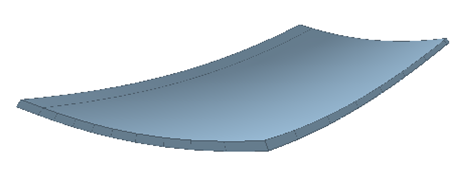
This is a spherical shaped plate with a thickness of 24 mm that has been created to demonstrate the color-based bending information.
In the elongation report, elongation values are colored based on thickness and material type. The colors are defined by inverse rainbow colors that range from blue (lowest values) to red (highest values). Minimum and maximum values are defined by the extremity rules. All values larger than the acceptable range are marked with black color.
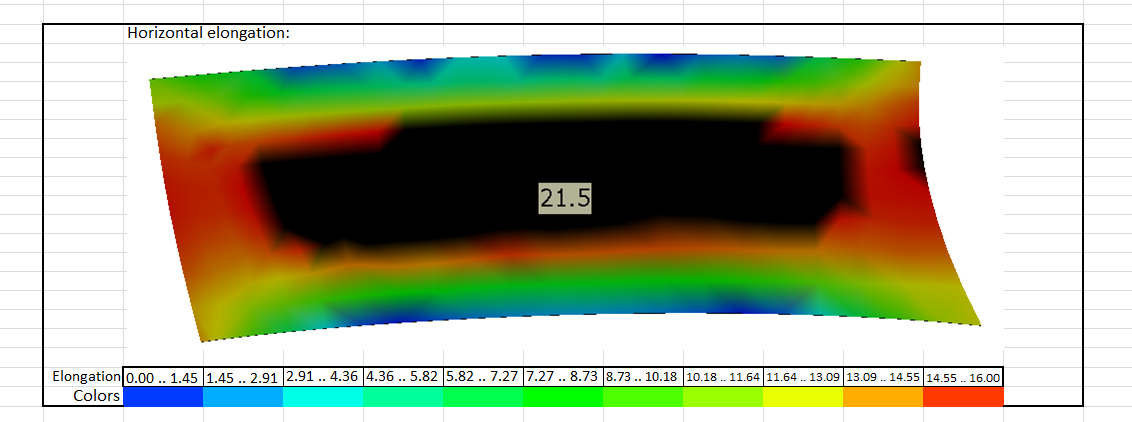
The elongation of this shell plate is lowest at the sides, and the highest in the middle section.
The rule must always be set up based on the feedback of the skilled professionals working on the production site. In this specific example, production has indicated that they can handle plates with a maximum elongation of 16 mm per meter in length direction. The colors show clearly that this plate exceeds the indicated maximum limit by having a maximum of 21.5 mm per meter elongation in the middle section.
The rule definition for this example is a follows:
Elongation color for plate thicknesses > 10.0
elo_type==ELO_TYPE_X and elo>=elo_min_x and elo<=elo_max_x $ INV_RAINBOW(elo_min_x,elo_max_x,elo,11)
elo_type==ELO_TYPE_Y and elo>=elo_min_y and elo<=elo_max_y $ INV_RAINBOW(elo_min_y,elo_max_y,elo,11)
rgb(0,0,0)
Variable elo is the elongation of each point on the plate. This value is used to give the plate the color. When this value is low it will use blue, when it is almost 16 it will use red. All values larger than 16 will show up in black.
The color black is defined by the rgb() function and will be used when the first two conditions in the rule are false. This could be a negative elongation or an elongation bigger the 16mm/meter. Normally a negative elongation is not possible.
In the example above we use the elocol0003.cfg rule because the example plate is thicker than 10mm. The system manager is free to define multiple rules and conditions.