Creating a foundation
The small ironwork consist of a number of standard foundations that can be created in one operation. These foundations consist of standard construction elements of CADMATIC Hull like plates and profiles.
Select the desired foundation from the menu bar Insert > Foundations in 3D-Contek. Or use the Foundations toolbar:

Now a choice can be made from the foundations that are present.
The next step is to select one or more points that determine the position and possibly enter some dimensions of the foundation. This can be achieved by selecting points in the graphical window, with the aid of the pop-up menu from the right mouse button, or by entering the coordinates in the panel. Depending on the type of foundation, a selected point must sometimes be on a plate.
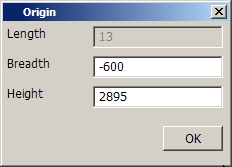
When the points have been indicated, the panel to create the foundation appears:
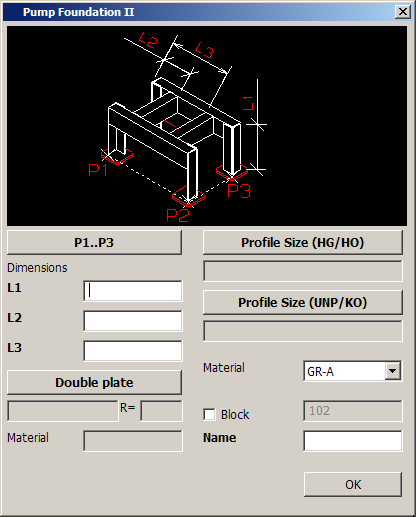
This panel has some elements that are present in several foundations, for example:
- A button to redo the selection of points 'Origin', 'P1..P3' or something similar. These points are usually shown in the picture at the top of the panel.
- Input fields for entering the dimensions. The dimensions are numbered L1 to L? The picture at the top of the panel shows the dimensions.
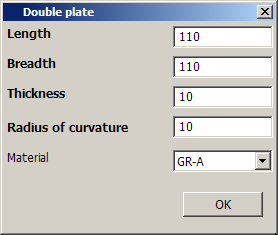
- A button to open a panel for entering the dimensions of the double plating.
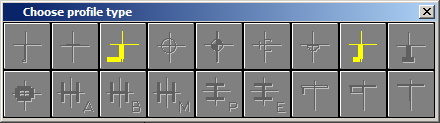
- A button to open a panel for selecting the dimensions of the profiles.
- An option menu to select the material of the profiles.
- The possibility to select another block for the creation of the foundation. To do this 'Block' must be checked and the block number must be entered. If this block doesn't exist, it will be created.
- An input field where the name of the foundation must be entered.
There can also be other elements in the panel that are specific for that particular foundation, see also the short descriptions on the following pages.
When all necessary values have been entered, the OK button can be clicked and the foundation is created.