The browser interface
The figure below shows the Hull Library browser interface.
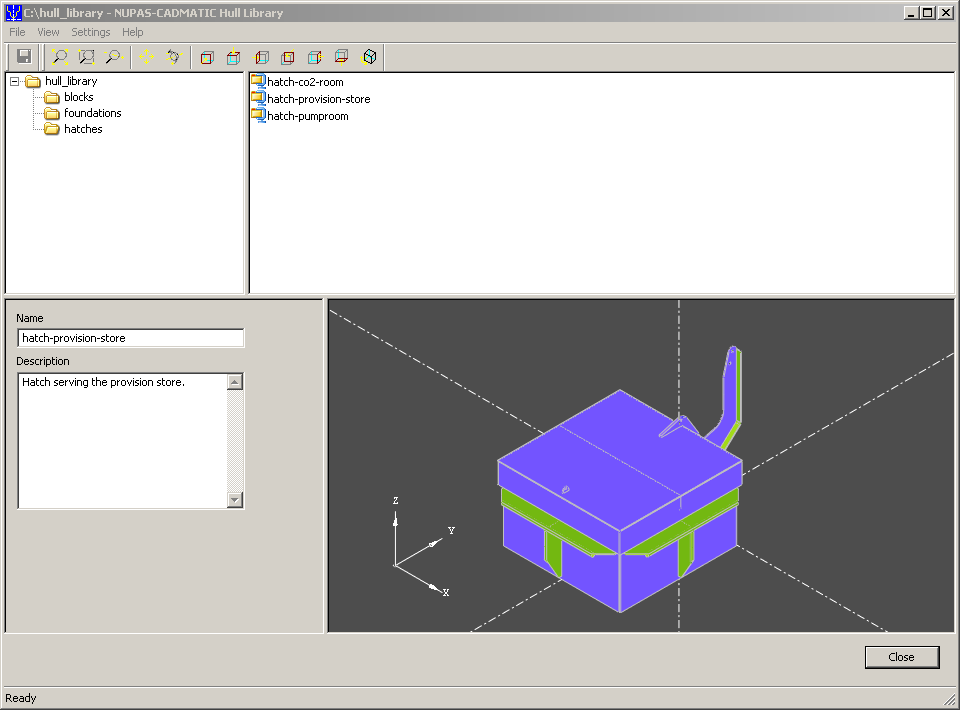
The interface is divided in four parts. The upper left window shows the folder tree of the library, the upper right window shows the models in the selected folder, the lower left window shows the name and description of the selected model, the lower right window shows a preview of the selected model.
The preview can be zoomed in or out, moved and rotated by means of the buttons in the preview toolbar or by moving the mouse in combination with the following keys:
Ctrl – move
Shift – zoom in/out
Ctrl+Shift – rotate
Zooming can also be done by using the mouse wheel.