Advanced object browser queries
You can use an advanced query to filter the list of objects in the object browser.
Start by selecting Query > Advanced.
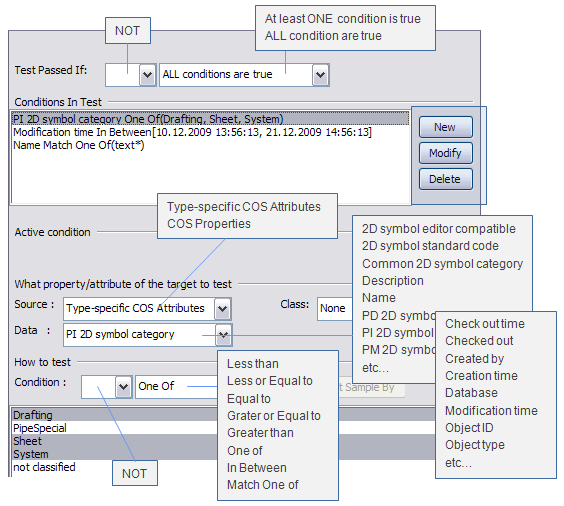
In the Edit Selection Test dialog you define tests that an object must pass to be included in query results; see Query test editor for details.
In the example below there are three conditions for testing (filtering) 2D symbol objects. The first condition selects all PI 2D symbols whose category is Drafting, Sheet, or System:
The second condition checks object modification date, and the third condition checks object name:
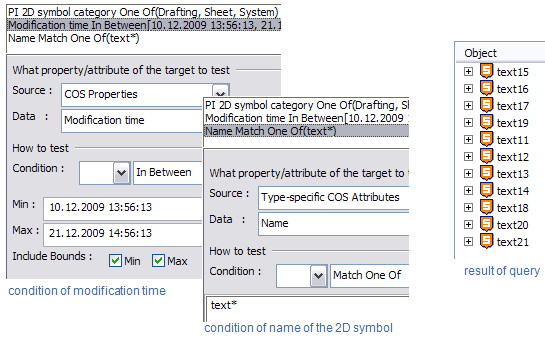
As a result, the object list shows only 2D symbols whose modification date matches the test condition and name starts with "text".
If the query might be re-used later, save it as a favorite as described in Favorites.