Beam

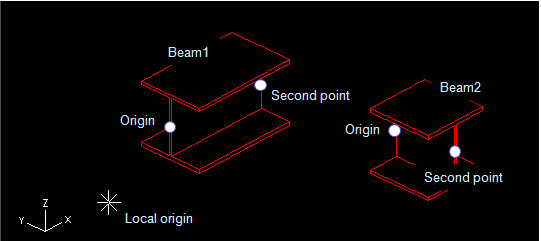
A beam provides a simplified way to create sweeps from catalog parts that model profiles. So, a beam is actually a sweep defined by:
-
Set the start point of the beam.
-
Select the catalog part size object from which the profile for the beam will be extracted.
-
Define the second point (the length of the beam).
-
You can modify the section of the beam by using the section editor.
-
You can also lengthen and rotate the beam.
When Object Browser opens for the first time, you need to "teach" it how to show profiles. Later it will remember your preferences to find profiles.