Eccentric cone

An eccentric cone is defined by:
-
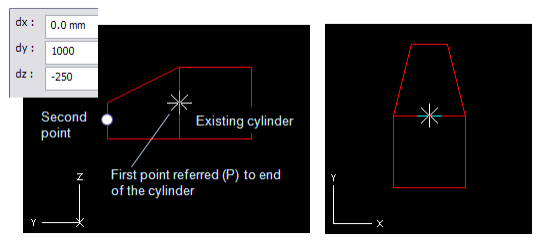
First point which is located at the center of the first end. The first point can be defined using an auxiliary cylinder to define the starting plane for the cone.
-
Second point (Stretch) which defines the center of the other end and thus the direction and the length of the cone.
-
Two radii.
-
Click one of the action points at the center of the cone end (selected one is rounded by rectangle).
-
Use context menu (RMB) to select an action Scale Shape.
-
Use context menu (RMB) to select a method to define the radius for the cone.
-
Select the other action point and repeat.
Note: It is recommended to first model a cylinder using the radius and direction according to the eccentric cone, and then start the cone from the end of the cylinder using Refer (P).