Join

You can join two straight air ducts and remove the seam. The duct parts to be joined must be parallel and have the same cross-section.
Do the following:
-
Select Ducting tab > Duct group > Join.
-
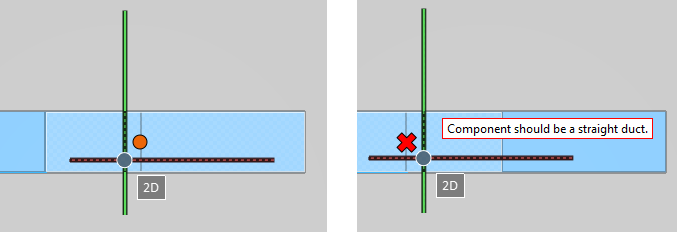
In a work view, move the cursor to the location where the join should be made. When a connection point is displayed, click to join the ducts. If the ducts cannot be joined, for example because one of them is a duct component instead of a straight duct piece, a red X is displayed and an on-screen message indicates why the operation is not possible.