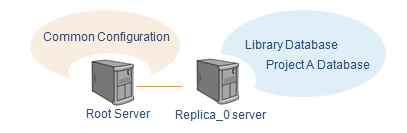
Create replica server
Step 2: Create replica installation file (*.cri)
-
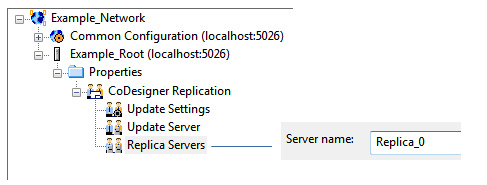
In the CADMATIC desktop, select Object > Manage COS , browse to the CoDesigner Replication / Replica Servers item and double-click to create a replica server.
-
Name the replica in this example as “Replica_0”. Normally, the name of server should identify the location and organization that uses the server.
-
Next you could select Library database included in the replica server (in the .cri file) but because there is no database in the Root server, there is nothing to be added. Click Next.
Note: Using Manage COS you can add only library database in the .cri file. If you want add also the project database, use command Manage Project instead.
-
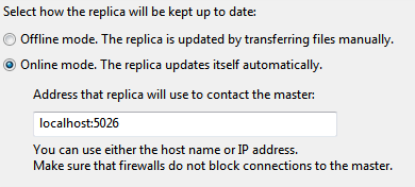
Select to update this replica in online mode because you are going to create all the COS Network (all servers) on the same computer. In this case, the master indicates the Root Server so you have to use the same address you set for the Root.
-
Select whether the replica server can use the same Windows user accounts as the main site or whether user accounts need to be created locally.
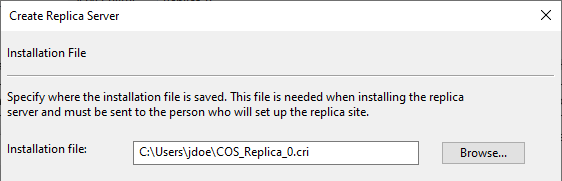
- Define the location for the installation file (.cri). Normally, it should be sent to the administrator of the replica site but in this case you create the replica server yourself.
Step 3: Install replica server using .cri file
-
In the CADMATIC installation software, select Install/upgrade COS server.
-
In the Installed COS servers dialog, click New to proceed.
- Select New replica COS server installation.
-
Browse to the installation file you created previously. The server name is defined in the installation file (Replica_0).
-
Accept or change the installation paths and port number.
Note: Write down the port number, you need that information later.
-
Click Yes to set the status of the replica to be online and to start the automatic replication.
-
After installation, use command Object > Manage COS from CADMATIC desktop and click Connect to… to bring out the installed server in the list.
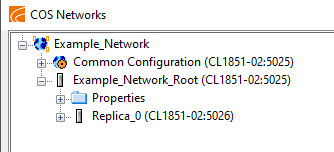
Now you have created replica server in the COS network. Next you create a Project (and Library) Database into that server so its role will be host project (A) server in the network.