Ductlines
In File > Environment > Systems and Lines, you can manage the Ductlines of the project and the Systems that the lines are using.
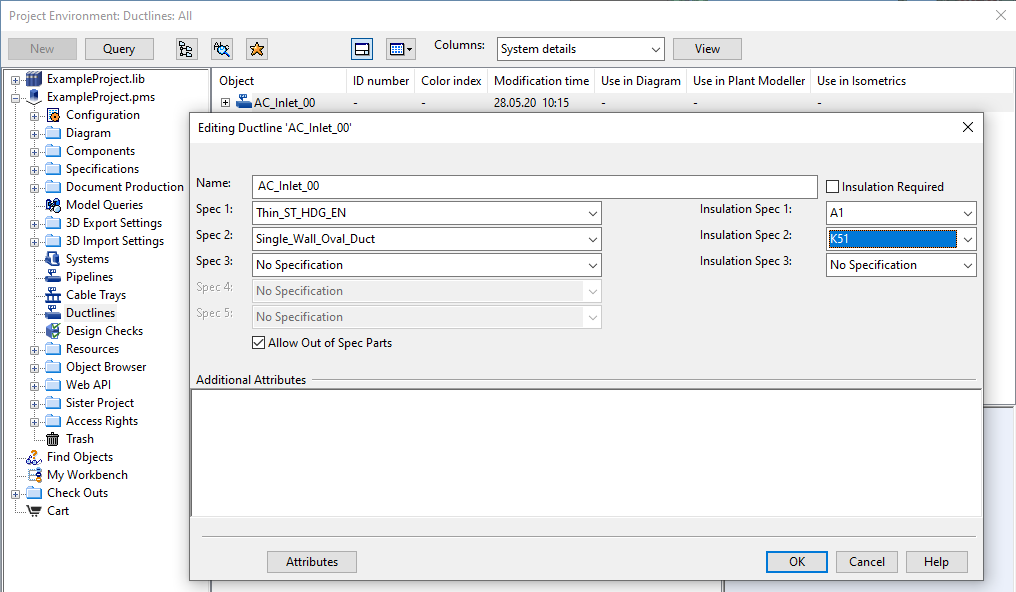
In the Editing Ductline dialog, you can select which duct specifications and insulation specifications the line can use, select whether out-of-spec parts are allowed in the line, and assign attributes to the line.
Tip: You can also manage ductlines via File > Environment > All Library and Project > [project] > Ductlines. Moreover, new ductlines can be created via the Model Tree pane, as described in Managing tree items.