Edit instrument data
Do the following:
-
Select the instrumentation symbol.
-
Right-click, and select Edit Data.
-
Click Yes to generate the position ID.
A position ID is generated for an instrument only when it belongs to a user-defined tag and not the Default_Tag. The format of an instrument position ID is [tag].[number].
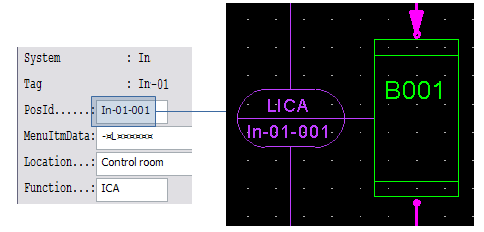
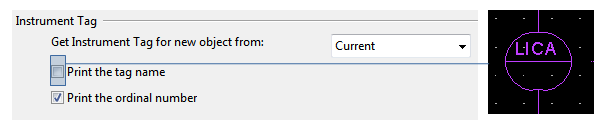
The program updates the instrument bubble automatically. If you want to change the printing option for the tag name, do the following:
-
Select File > Options > Share project settings > System default.
-
Below Instrument Tag, clear Print the tag name if you do not want to see the tag on the drawing.
-
Click OK.
-
Select Modify > Update group > Tools > Update Instruments.