Pipeline 14
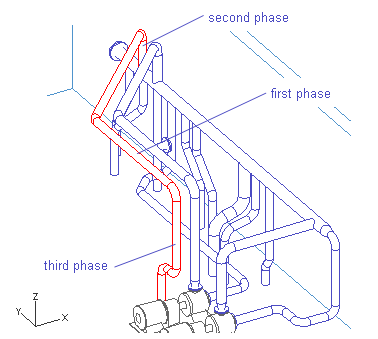
This pipeline is routed in three phases:
-
Follow the pipeline AA_Water-04.
-
Branch into the run pipe AA_Water-01.
-
Route to the tank top near the pump foundation.
Follow the Pipeline AA_Water-04
Do the following:
-
To follow an existing pipeline, select Piping > Follow pipe.
-
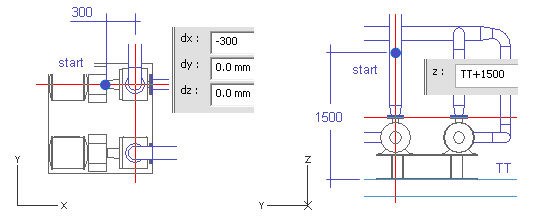
Move the cursor near the pressure connection of the second pump.
-
Press Q.
-
Press D.
-
For dx, enter -300 as the value.
-
Click OK.
-
Press Z.
-
Enter TT+1500 as the value.
-
Press Space.
-
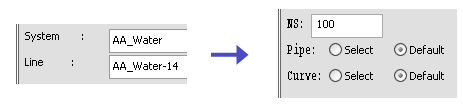
For System, select AA_Water.
-
For Line, select AA_Water-14.
-
Click Done.
-
For NS, enter 100.
-
For Pipe and Curve, select Default.
-
Click OK.
-
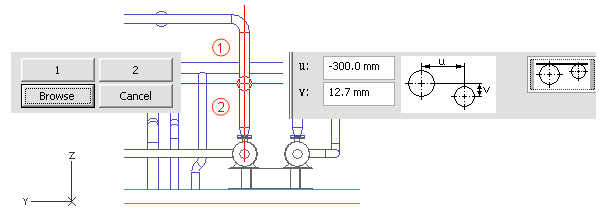
Left-click the pipeline AA_Water-04.
-
Press Enter.
-
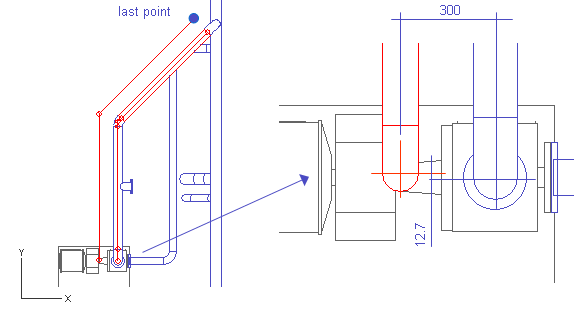
Click 1 to follow the line AA_Water-04 upwards.
-
For u, enter -300 as the value.
-
For v, enter 12.7 as the value.
-
Click OK.
-
Press Space to accept the points to follow the pipeline.
-
Press Enter to stop following when you have selected the geometry point of the last elbow.
-
Click OK.
Branch into the Run Pipe AA_Water-01
Do the following:
-
Select Piping > Route pipe.
-
Move the cursor near the end of the pipe.
-
Press J.
-
Click Yes.
-
Press R to use the Point and Plane method.
-
Move the cursor inside the run pipe.
-
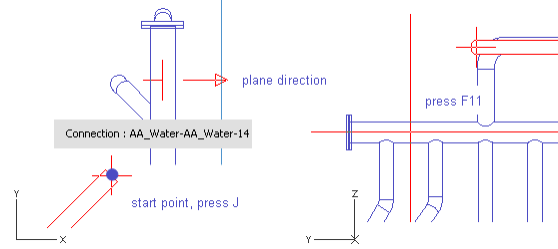
Press F11 to lock the cursor to the centerline.
-
Press Space.
-
Press Ctrl+X to define the direction for the normal of the plane to the X axis.
-
Press Space.
-
Move the cursor near the end of the pipe.
-
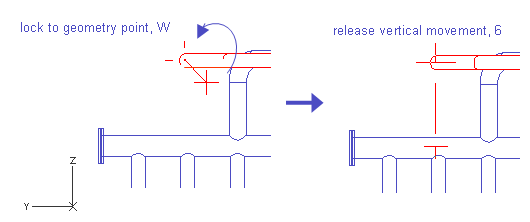
Press W.
-
Press Tab to activate the YZ view.
-
Press 6 to release the cursor along the vertical direction.
-
Move the cursor inside the run pipe.
-
Right-click, and select Create branch.
-
Press Enter to accept the run pipe.
-
Click Yes.
Route to the Tank Top near the Foundation
The second end of the pipeline is routed into the tank top, so that the pipeline sidesteps the pump and its base along the y-axis.
Do the following:
-
Select Piping > Route pipe.
-
Move the cursor near the pump end of the pipe.
-
Press J.
-
Click Yes.
-
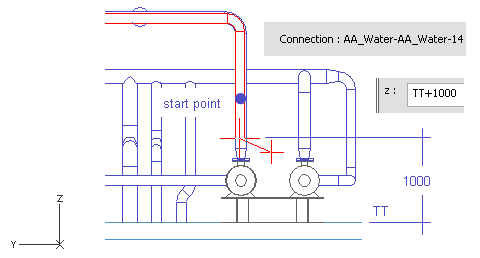
Press Z.
-
Enter TT+1000 as the value.
-
Click OK.
-
Press Space.
-
Move the cursor near the pipe end.
-
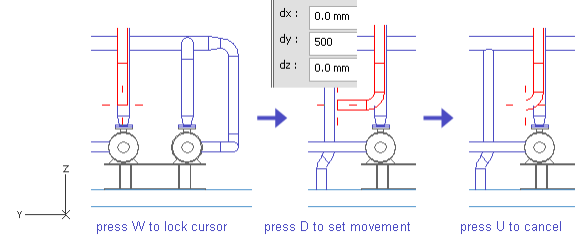
Press W.
-
Press D.
-
For dy, enter 500.
-
Press Space.
-
Press U to cancel the previous section.
The elbow remains.
-
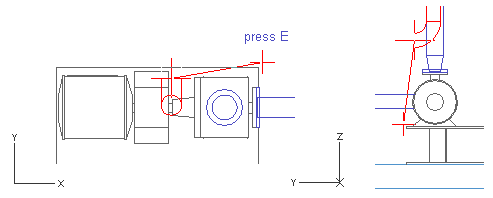
Press Shift+A.
-
Move the cursor near the corner of the pump base.
-
Press E to lock the cursor to the nearest vertex, the corner of the pump base.
-
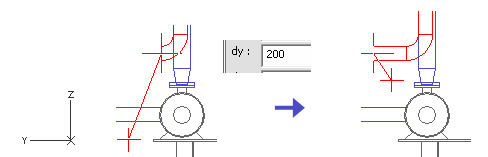
Press D.
-
For dy, enter 200 as the value.
-
Click OK.
-
Press Space.
-
Move the cursor near the last point.
-
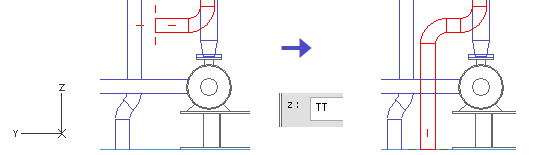
Press W.
-
Press Z.
-
Enter TT as the value.
-
Press Space.
-
Press Enter.
-
Click Yes.
You have now routed a pipe in three phases: first, following an existing pipeline; then, branching into a run pipe; and lastly, ending at the tank top.