Layout tab > 3D and view group >  3D functions menu > Generate 3D parts
With this function, you can generate 3D elements from 2D symbols. This function always deletes the existing 3D elements from the drawing, after which all 3D elements are generated again.
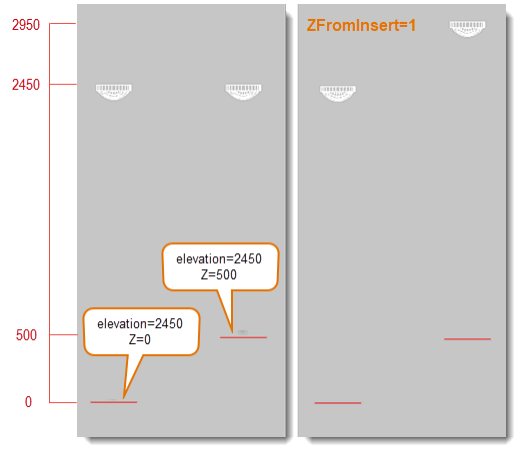
When generating elements to 3D, the elevation for the 3D symbol is taken from the 2D symbol's E_ELEVATION attribute. The Z-coordinate of the 2D symbol does not affect the elevation of the 3D symbol. However, it is possible to change this behavior with a setting.
 Show/hide details
You can only change the behavior by editing the scads.ini setting file. By default, this file is located in C:\ProgramData\CADMATIC\Draw [version number] English\scads.ini. Add the ZFromInsert=1 key to the [CommonEC] section as follows:
[CommonEC]
...
ZFromInsert=1
...
When activated, the Z-coordinate for the generated 3D symbols will be the sum of 2D symbols elevation info and 2D symbols Z-coordinate:
Do the following:
-
Select the parts to be generated.
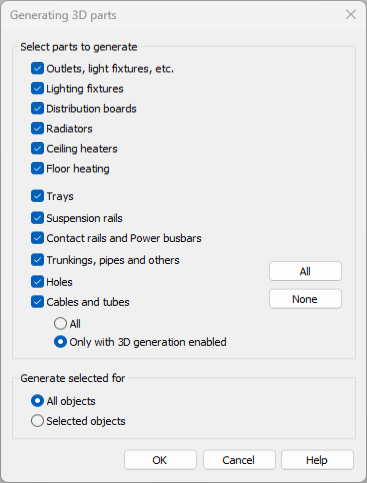
If you select Cables and tubes, select whether to generate all or only those with 3D generation enabled.
-
Select to generate 3D elements either for all objects or selected objects.
-
Click OK.
-
If you selected to generate for selected objects, indicate the desired objects. If they already have a 3D symbol, they will be deleted and regenerated.
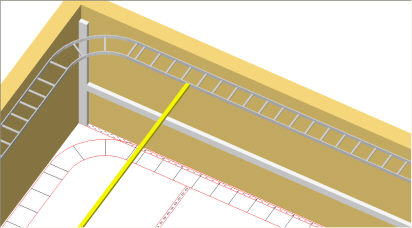
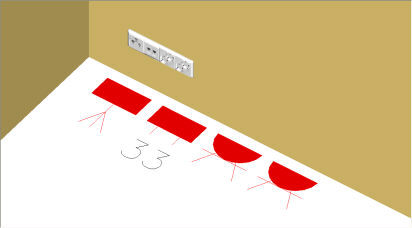
3D symbols are generated to the insertion point and
elevation of the 2D symbols. The correspondence between the 2D and 3D outlet symbols can be defined
with
Layer, color, and line type for the 3D elements are defined in the setting file.