Updating equipment
You can update the equipment in the current view with the latest Outfitting information that can be retrieved through the Hull Agent by selecting View > Update > Update Outfitting and Save.
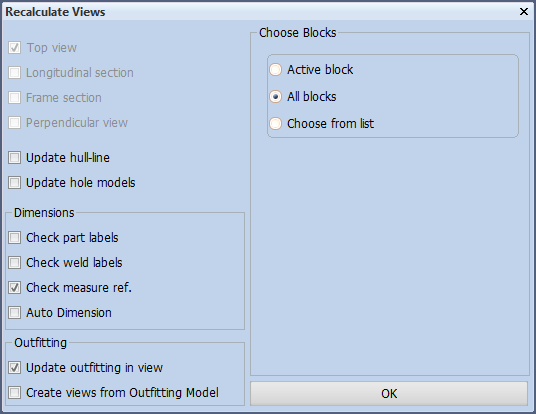
Alternatively, you can recalculate all views with the latest Outfitting information by selecting Tools > Recalculate Views and then the option Create Views from Outfitting Model.
Note: The Create views from Outfitting Model option creates the views in batch mode, so you can continue working while it runs.
After performing complete recalculation, or if you otherwise know that local Outfitting data is up-to-date, you can open a view and select to update the equipment in that view by selecting the suitable update option from the update menu.
Note: When you open a drawing and select one of the update options related to Outfitting, the drawing will not be saved automatically.
Note: New equipment and any changes in equipment positions are sent to the Hull Agent only when the drawing is saved (not when updating Outfitting).