Profiles, shell frames and pillars
Profiles, shell frames and pillars are serving as stiffeners that prevent the planes of the ship from distorting. Stiffeners contribute to the reinforcement of the plane by reducing it's tension and by preventing local bulking.
The CADMATIC Hull system makes the following distinction between profiles, shell frames, and pillars:
Profiles
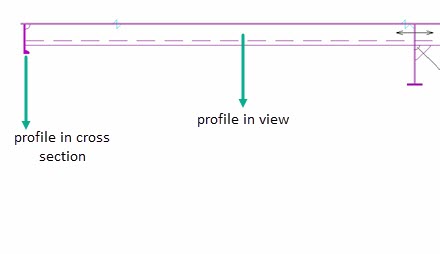
Profiles are profile type items connected to a plate. The image below shows profiles in cross section and in view presented in CADMATIC Hull.
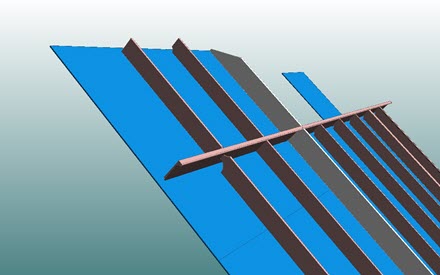
The image below shows profiles presented in Hull Viewer.
Shell frames
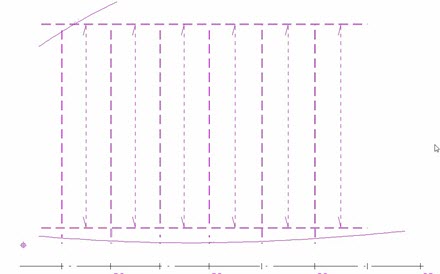
Shell frames are profile type items connected to a hull line (shell). The image below shows shell frames in view presented in CADMATIC Hull.
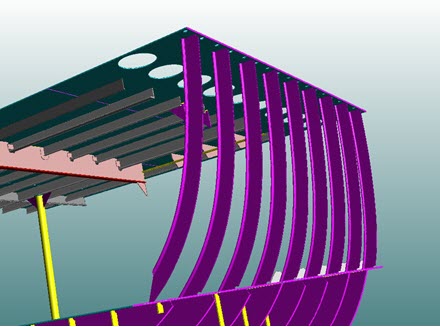
The image below shows shell frames presented in Hull Viewer.
Pillars
Pillars are profile type items that are not connected to any other construction item type ("plate 0").
Pillar-profile: When a profile is placed at a construction of a neighboring (dashed) block, a pillar is created in the active block. The ownership of the pillar-profile is at the neighboring block, but can be transferred to the active block with the Pillar-Profile Status function in 2D-Contek & 3D-Contek > Construction > Profiles > Modify > Pillar-Profile.
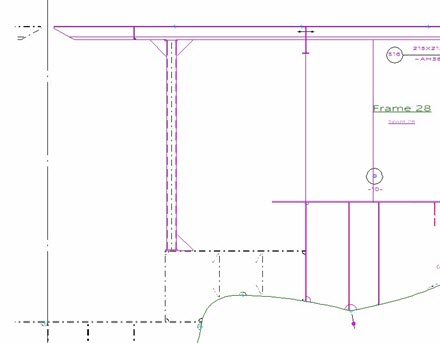
The image below shows a vertical pillar presented in CADMATIC Hull.
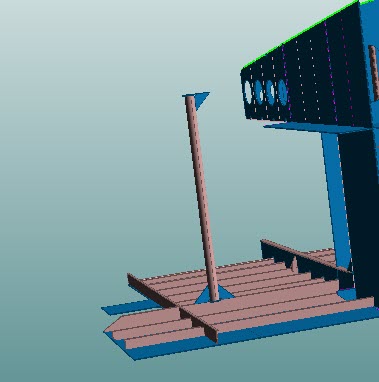
The image below shows a pillar presented in Hull Viewer.
Pillars can later be converted to profiles or pillar-profiles with the Construction > Pillars > Modify > To Profile function in the 3D-Contek application. See Pillar To Profile for more information.