Logistical data
In the Logistical data dialog you can set logistical data for the parts that are inserted into the project.
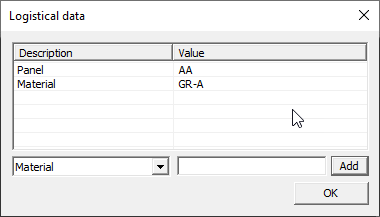
Select the logistical field from the drop-down menu and enter the value in the field next to it, then click Add.
To remove an entry from the list, select it and press the Delete key.
See also Insert Hull Library model.