Trim/stretch with plane

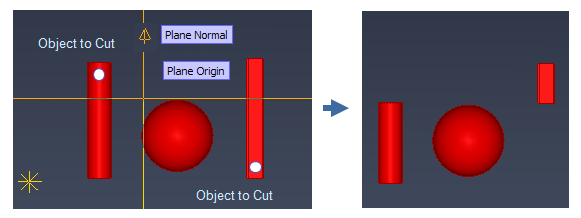
You can either shorten or lengthen a primitive by positioning the trim/stretch plane relative to the target primitive.
 Show/hide example
In this example, a single trim/stretch plane is used to first trim a beam and then stretch a cylinder so that their ends are at the same plane.
Prerequisites
Do the following:
-
Select Component Modeller tab > Edit group > Trim/stretch with plane > X-axis, Y-axis, Z-axis, or Define plane normal.
-
Select the target primitive and press Enter.
-
Define the plane origin so that the plane can either trim or stretch the primitive, and also define the plane normal if needed.
-
Press Enter to complete the plane definition and trim or stretch the primitive.
-
Select another primitive to be trimmed or stretched with the same plane, or press Esc to exit the tool.