Minimizing the ribbon
You can minimize the ribbon toolbar to create more space in the main area of the application window.
-
You can minimize the ribbon by selecting Minimize the Ribbon from the Quick Access Toolbar menu or by double-clicking the text label of the currently open tab.
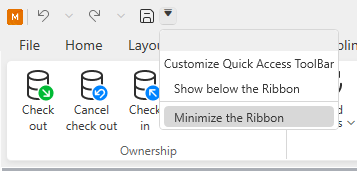
-
When the ribbon is minimized, you can access the command buttons by clicking the text label of a tab or by using Access keys.
-
You can restore the ribbon to its normal size by selecting Restore the Ribbon from the Quick Access Toolbar menu or by double-clicking the text label of the currently open tab.