Manage
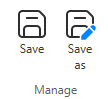
On the Component Modeller tab, the Manage group includes the following tools.
Save

You can save the component model you are editing in the library or project database.
Prerequisites
-
The component model has at least one primitive that is not part of a service space or marked as temporary.
-
The component model meets the requirements set in Weight Information.
Do the following:
-
Select Component Modeller tab > Manage group > Save.
-
If saving a new component model, the Select Dbase For New Objects dialog opens. Click the name of the library or project database to save the model in the specified database.
-
If saving a new component model, the Edit Object Attributes dialog opens. Select the attributes to include in the model, and click OK.
Save as

You can save the component model you are editing as a new instance, either in the library or project database or as a GDL file (.gd). A model can be saved as a GDL file even when it exceeds the Boolean operation limit or the model size limit defined in the Weight Information project settings, preventing the model from being saved to the database. However, not all information is included in the .gd file, such as object attributes.
Prerequisites
-
An equipment GDL has at least one connection node.
-
The component model has at least one primitive that is not part of a service space or marked as temporary.
Do the following:
-
Select Component Modeller tab > Manage group > Save as.
-
In the Save As dialog, select where to save the model:
-
Library – Select this to save the model in the library database.
-
Project – Select this to save the model in the project database.
-
File as GDL – Select this to save the model as a .gd file.
Then click OK.
-
-
If saving in the database, the Edit Object Attributes dialog opens. Select the attributes to include in the model, and click OK.
-
If saving in a file, the Save Component dialog opens. Specify the saving location and file name, and click Save.
-
You can continue modifying the model. Subsequent changes are saved to the new instance. If you saved the model as a GDL file, the model can still be saved even when it exceeds the limits on the number of Boolean operations or the model size.