On the Additional information tab in device and cable properties, for example, you can select additional information created in additional information management for objects by clicking Select/Edit.
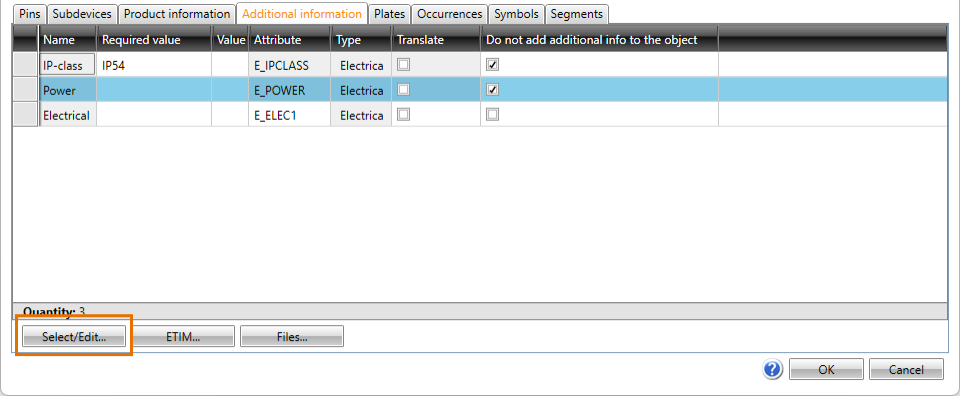
You can either select individual pieces of additional information or packages including several pieces of additional information.
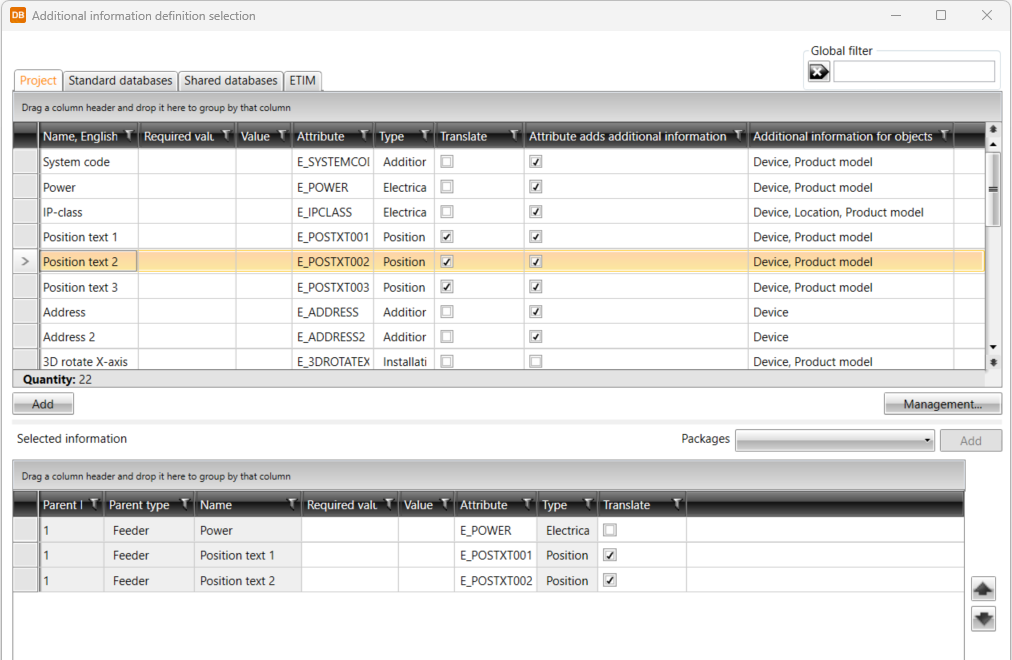
Clicking the Select/Edit button opens the Additional information definition selection dialog.
The additional information items are divided on the following tabs:
- Project – This tab shows the additional information already in the project.
- Standard databases – This tab shows the read-only database (EDBCommon.sqlite) provided with the application. It will be overwritten whenever the application is updated. You can copy additional information from this database to your own shared databases.
- Shared databases – This tab shows databases that can be shared and edited. If another user edits the data simultaneously, you can update the grid to show the changes by clicking the
 button.
 - ETIM – This tab shows ETIM (European Technical Information Model) data.
Add the desired pieces of additional information by double-clicking them or by selecting them and clicking Add.