Layout tab > Devices group >  Symbol functions menu >
  Heaters menu > Heating radiators
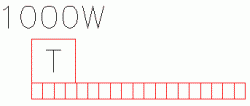
With this function, you can define a heating radiator to the drawing. The function creates a symbol to the drawing in accordance with the definitions.
When you add the heating radiator symbol to a product model, you can define the same information as when inserting the symbol. The information will then be saved as product model properties.
Do the following:
-
Define the power and size and optionally a description for the heater.
-
Select whether to include a thermostat. The location can be either left or right looking from inside the room.
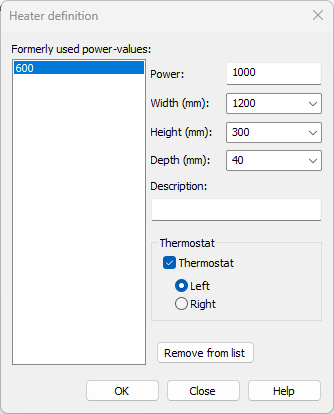
The defined heaters will be saved in the Formerly used power-values list, where they will be available later. The heaters will be listed according to their power.
-
Click OK.
-
Indicate the position of the heater in the drawing.