Assign product models to devices
You can assign product models to devices in the drawing. By assigning product models for the desired devices, changes can be easily updated to all the devices via the product model. Updates can be made manually or automatically if it is activated from settings.
 Show/hide details
If Update devices automatically has been selected in the product model properties, the changes are automatically updated to the devices using the product model. If the option has not been selected, you need to manually update the changes to the devices with the Update product model's devices button (see Update product model changes to devices).
Do the following:
-
In the Product models project tree, right-click the product models you want to assign to devices and select Assign devices.
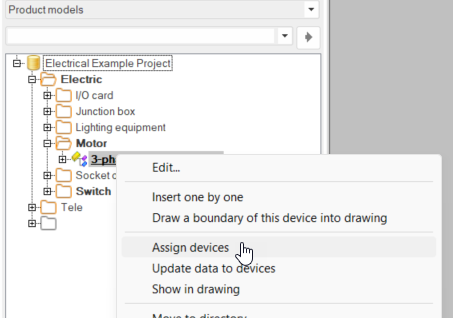
The Update product model data to devices dialog opens.
-
Select the changes you want to update.
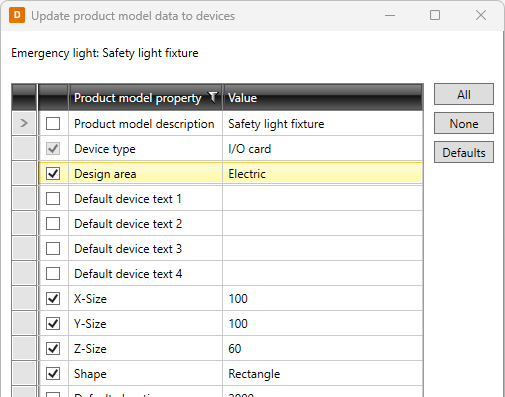
-
Click OK.
-
Select the device symbols you want to assign the product model to.
-
If you selected devices with device type different than that in the product model, select whether to make the change by clicking Yes, Yes to all, No, or No to all.