Update product model changes to devices
If Update devices automatically has been selected in the product model properties, the changes are automatically updated to the devices using the product model. If the option has not been selected, you need to update the changes manually.
Do the following:
-
Open the product model for editing by right-clicking it in the Product models project tree and selecting Edit, for example. The Product model properties dialog opens.
-
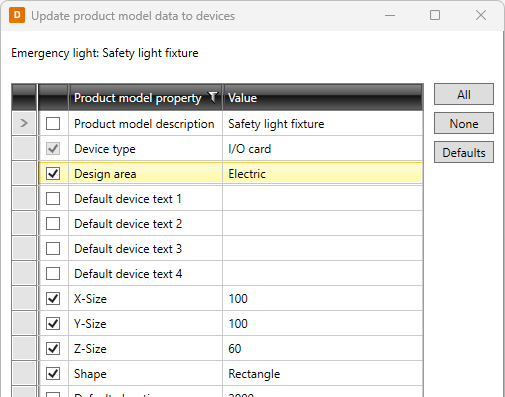
Click Update product model's devices. The Update product model data to devices dialog opens.
-
Select the changes you want to update.
-
Click OK.