File menu

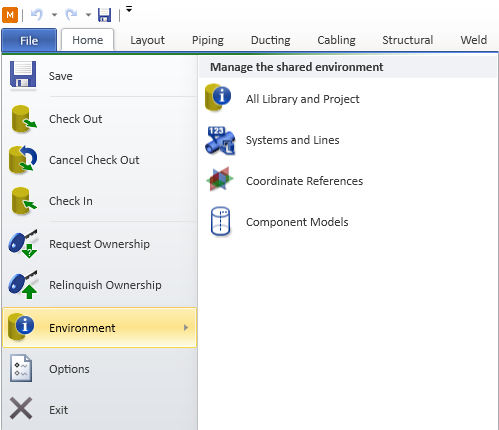
The File menu of Plant Modeller contains commands and tools for managing your working environment.
-
Save – Saves the area model. See Saving the area model.
-
Check Out, Cancel Check Out, Check In – Checks objects out or in, or cancels the checkout of objects. See Checkouts.
-
Request Ownership, Relinquish Ownership – Requests or relinquishes object ownership. See Ownership.
-
Environment – Opens a menu with the following options:
- All Library and Project – Opens the Project Environment dialog (object browser) where you can manage project data.
- Systems and Lines (Prior) – Opens the legacy Systems and Lines (Prior) tool for managing lines and systems.
- Systems and Lines – Opens the Systems and Lines tool for managing lines and systems.
- Coordinate References – Opens a menu from where you can select to edit the coordinate references object, or to generate or digitize planes. See Coordinate references.
- Component Models – Opens the Manage Component Object Models object browser where you can see and edit all currently defined component models and create new ones. See Component Modeller.
-
Options – Opens the Settings dialog where you can manage system settings. See Options.
-
Exit – Closes the Plant Modeller application.