Cut with primitive

You can cut the end of a primitive with another primitive that fully overlaps the end to be removed.
Prerequisites
-
To cut a Cylinder, the cutting object must be a Cylinder, Eccentric cone, Eccentric cone, Toroid, Sphere, or Dish.
-
To cut a Cone, Eccentric cone, or Toroid, the cutting object must be a Cylinder, Cone, Eccentric cone, or Toroid.
Do the following:
-
Select Component Modeller tab > Edit group > Cut with primitive.
-
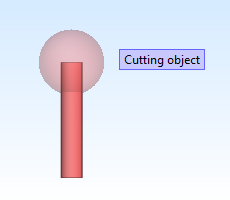
Select the cutting object, and press Enter.
-
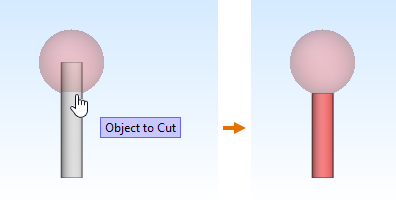
Select the object to be cut by clicking it near the end to remove, and press Enter.
-
Select another primitive to be cut with the same cutting object, or press Esc to exit the tool.
-
If the cutting object is not part of the component model, mark it as a temporary object:
-
Select Component Modeller tab > Properties group > Role markings > Mark temporary.
-
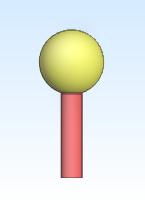
Select the cutting object, and press Enter.
-